Amazon Fire TV
 | ||||||||||||||||||||||||||||||||||||||||||||||||||||||||||||
Amazon Fire TV reviewFire TV is possibly the best single set-top box available, but it still can’t be everything to everyone
In what has been colloquially called the "battle for the living room" (or as I like to call it, the battle for your HDMI inputs), competition is heating up but hasn't exactly hit a flash point. Modern products in the small set top box space like the WD TV Live, Boxee Box and Google TV never really caught on, and even the "big" successful players like Roku and Apple TV have relatively small sales numbers in the grand scheme of television watchers today. Whether it's out of complication from yet another box, the inherentredundancy of having several boxes that all do most of the same things or the price of more hardware and subscription services, these little set top boxes have yet to break though.
But if there's one thing Amazon knows how to do, it's create products that can find mass appeal with the general consumer. With the announcement of its new set-top box, Fire TV, Amazon is betting that it can get a good number of people to buy this $99 thing, and pay another $99 per year to deliver more Amazon content to it. And then pay still more for premium movies and TV shows and apps that aren't free as part of Prime. Building on the experience of launching the relatively successful Kindle Fire line of tablets, there's indication that Amazon can do just that. The real question is: has Amazon figured out something that Roku and Apple have not?
In this ever-hyped fight for a foothold in the living room, is Amazon's Fire TV offering a sure-fire hit? Read along with us and see what this little box can do.
HARDWARE
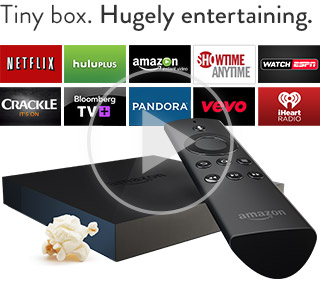
The Fire TV is the very definition of understated design. It's a simple matte black box with a small Amazon logo etched in the top and single white LED on the front to tell you when it's powered on. There are no purple cloth tags (like on the Roku) and the company didn't bother with embellishments like rounded corners. Even around back, there's a minimal selection of ports; just HDMI, Ethernet and optical audio jacks, plus a currently useless USB socket. The result is perhaps the most attractive and unobtrusive streaming set-top box we've seen yet. While its overall footprint is larger than the Apple TV's, it's still only 0.7 inches tall, which means it's nearly invisible from 10 feet away. Besides, the remote uses Bluetooth instead of IR, so you can hide it anywhere you want.
Not that you're going to be picking it up terribly often, but Amazon's box is actually quite heavy -- a dense block made from plastic, aluminum and silicon. Most of the internal space is taken up by a giant heatsink, an essential concession given the rather high-powered internals. The 1.7GHz quad-core Snapdragon processor, along with the Adreno 320 GPU, is far more powerful than anything found in other streaming devices and it shows. Searches and even browsing the UI are noticeably faster on the Fire TV than on a Roku or Apple TV. And we haven't even mentioned what it's capable of on the gaming front, but let's not get ahead of ourselves. 
Amazon also more or less nailed the remote's design. It's just the right size with a shallow, but comfortable groove for your finger underside. The buttons have little travel, but do produce a satisfying click when pressed. The remote does still bear the marks of Fire TV's Android roots. Below the thin ring that serves as a directional pad are six buttons aligned in rows of three -- the top row features your old-school Android back, home and menu keys. There are two minor, but irksome, issues here. For one, the menu key is largely useless except from within certain apps (more on that later) and it would feel more natural if the media controls were directly below the directional pad and select button. This not only led to occasionally hitting the menu button when I was looking for fast-forward, but it also sends a subtle message to the user about the priority of the controls. If Amazon was indeed building a media-first device, then the media controls should have taken precedence -- and thus had better placement -- on the remote.
The most important key on the remote, though, is the search button. Amazon wants this to be the primary way you interact with the UI and indeed, the voice search here is both easy to use and insanely fast. Simply press and hold the microphone key, which is separated from the rest of the buttons, and speak into the mic built into the Bluetooth controller. More often than not within a second or two you've got your results, and there's no need to breakout a special remote app on your phone.
Amazon Fire TVDETAILS
thanks you for your attention
|



Không có nhận xét nào:
Đăng nhận xét